試しやすいケース
- 同じ種類の対象が多くの画像に繰り返し写っている
- 最初のお手本BBoxを正確に作れる
- 候補を人が全件確認する工程を確保できる
- 画像や学習データを基本的にPC内で扱いたい
物体検出の自動ラベリングを検討している方へ
AnnoBoostは、少量の正しいBBoxからPC内で学習し、未確認画像へBBox候補を作ります。人が候補を確認・修正する前提なので、完全自動をうたう機能ではありません。
Windows版をダウンロードファイルは公開。アプリ利用には無料体験または有料プランの有効期間が必要です。
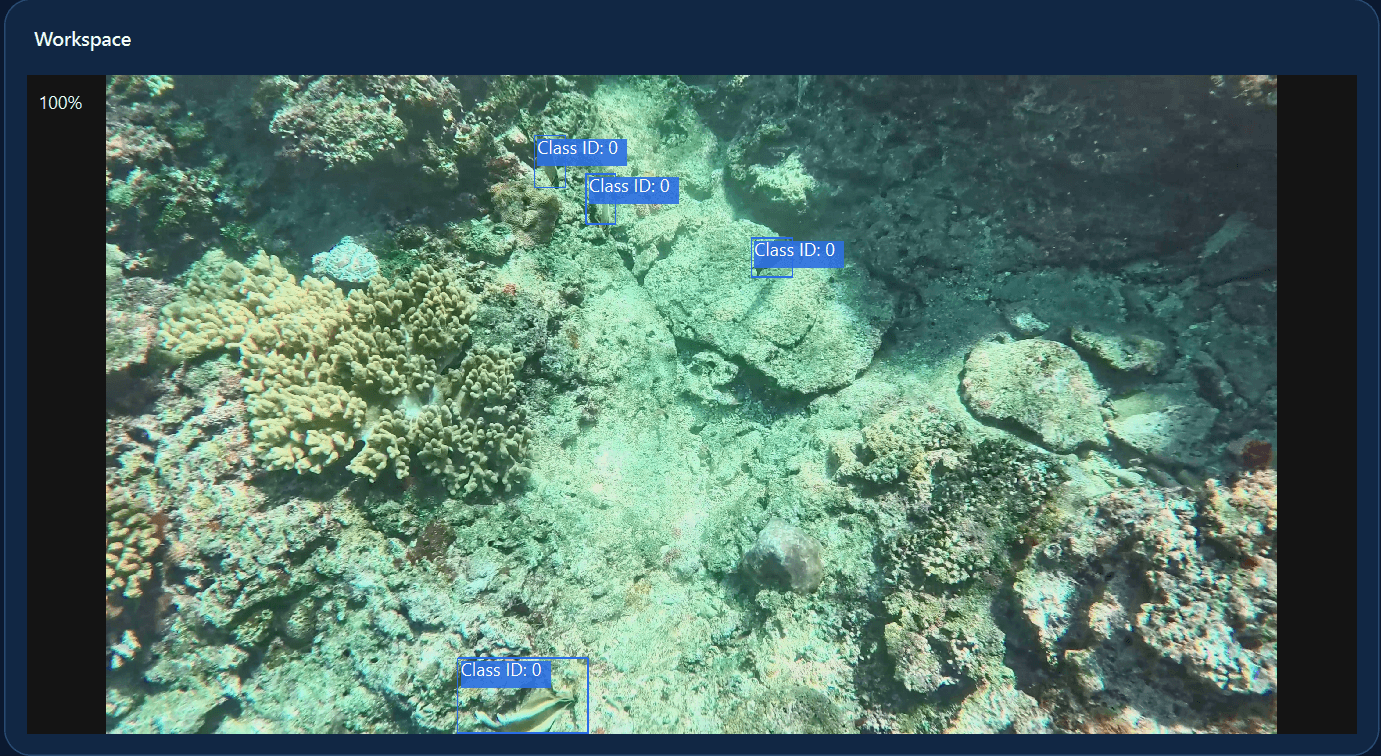
候補生成後の実画面
青いBBoxがモデルの候補です。写っている対象の抜け、不要な検出、クラス、重複、位置とサイズを人が確認します。
候補生成の操作手順を見るAnnoBoostの自動ラベルフロー
ボタン一つで正解ラベルが完成するのではなく、学習用BBoxと人の確認を含む4段階の流れです。
代表画像に対象クラスとBBoxを設定し、学習のお手本を用意します。
作成したBBoxから、AnnoBoost内で学習に使うデータを準備します。
対応するNVIDIA GPUを使い、画像に合う物体検出モデルを学習します。
未確認画像へ候補を付け、人が誤りを直して確定します。
候補の品質確認
候補精度は画像や学習条件で変わります。出力前に同じ観点で全画像を確認してください。
写っている対象にBBoxが付いていない箇所
対象ではない背景や物体へ付いたBBox
対象と候補のクラス名が一致しているか
同じ対象に複数のBBoxが重なっていないか
対象を切らず、不要な背景を含めすぎていないか
向いているデータと制約
いいえ。AnnoBoostが作るのはBBox候補です。抜け、誤検出、クラス違い、重複、位置・サイズを人が確認し、修正して完成させます。
現在の対象はBBox/物体検出です。セグメンテーション、姿勢・キーポイント、追跡ネイティブのワークフローは対象外です。
いいえ。候補品質は画像の見え方、クラス数、対象密度、最初のBBox品質、GPU、学習設定などで変わります。少量の実データで確認してください。
画像、アノテーション、モデルはPC内で処理・保存する設計です。初回サインインと定期的な利用状況の確認などにはインターネット接続を使います。
インストーラーとZIPはアカウントなしで取得できます。アプリの利用には、無料体験または有料プランの有効期間中のサインインが必要です。
最初は小さな画像フォルダで、学習、候補生成、人の修正までを一度通して判断してください。